Generate
Create images with AI
Video Editing Workspace at Night
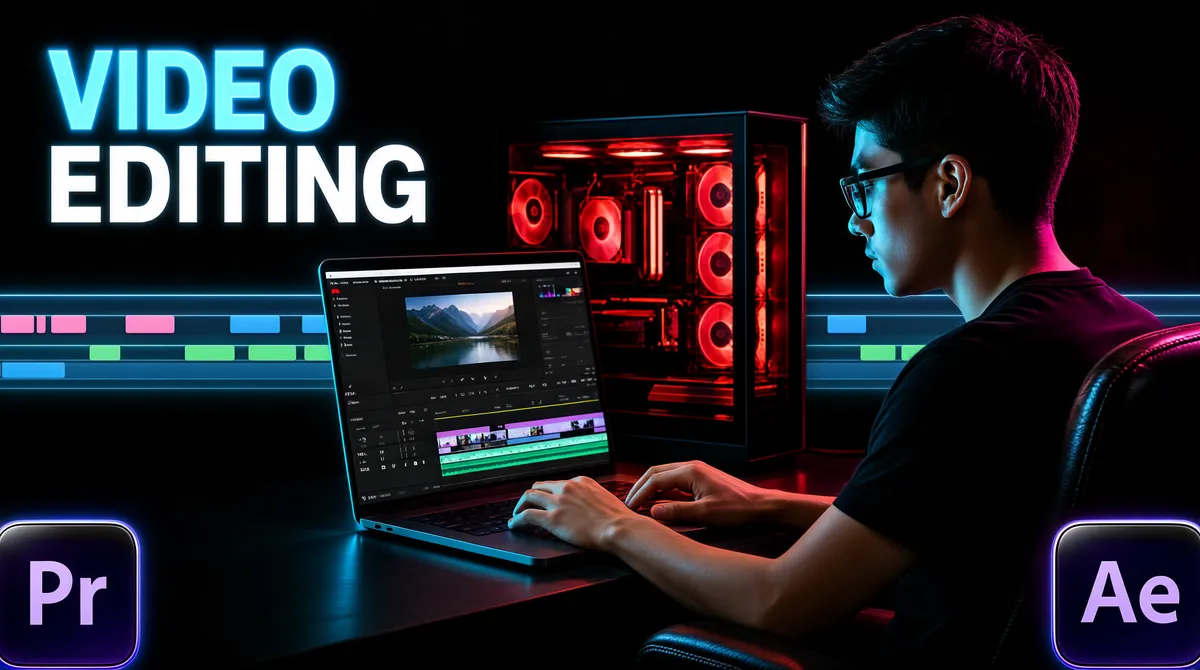
[Format] Landscape 16:9 gig cover, moody photographic scene of an editor at a RGB-lit workstation with a floating timeline UI strip and corner typography. Cinematic dark-mode finish with neon rim light. No watermark, no personal names. [Layout] A dark room scene: on the right two-thirds, a young man sits in profile at a desk in a leather chair, facing left toward his gear, lit by cyan and magenta rim light. In front of him an open laptop shows a colourful editing interface, and behind it a glass-panel PC tower glows with red internal lighting. A translucent multi-track editing-timeline strip floats across the background at mid-height, running the full width of the frame behind the subject, with small pastel clip blocks in pink, blue and green. Top-left corner holds a two-line headline; bottom-left and bottom-right corners each hold one glossy rounded-square app badge half-cropped by the frame edge. [Subject] A young man in his twenties, short dark hair, dark-rimmed glasses, wearing a black shirt, seated in profile leaning slightly toward the laptop, hands on the keyboard, absorbed in the screen, cyan light on his face edge and magenta on his shoulder. [Headline] Top-left: "VIDEO" in large glowing cyan-blue caps, "EDITING" beneath it in solid white caps, left-aligned, together occupying about a third of the width. [Badges] Bottom-left: the Adobe Premiere Pro mark, a dark rounded-square tile with a light "Pr"; bottom-right: the After Effects mark, a matching dark rounded-square tile with a light "Ae". The floating timeline strip with pastel clips is itself a decorative badge-like element. [Mood] Near-black room with cyan/magenta neon, red PC glow and pastel UI accents — focused, late-night creator atmosphere. At thumbnail size the glowing headline and the rim-lit profile carry it.
Tags
More Images