Generate
Create images with AI
Power BI Dashboard Before After
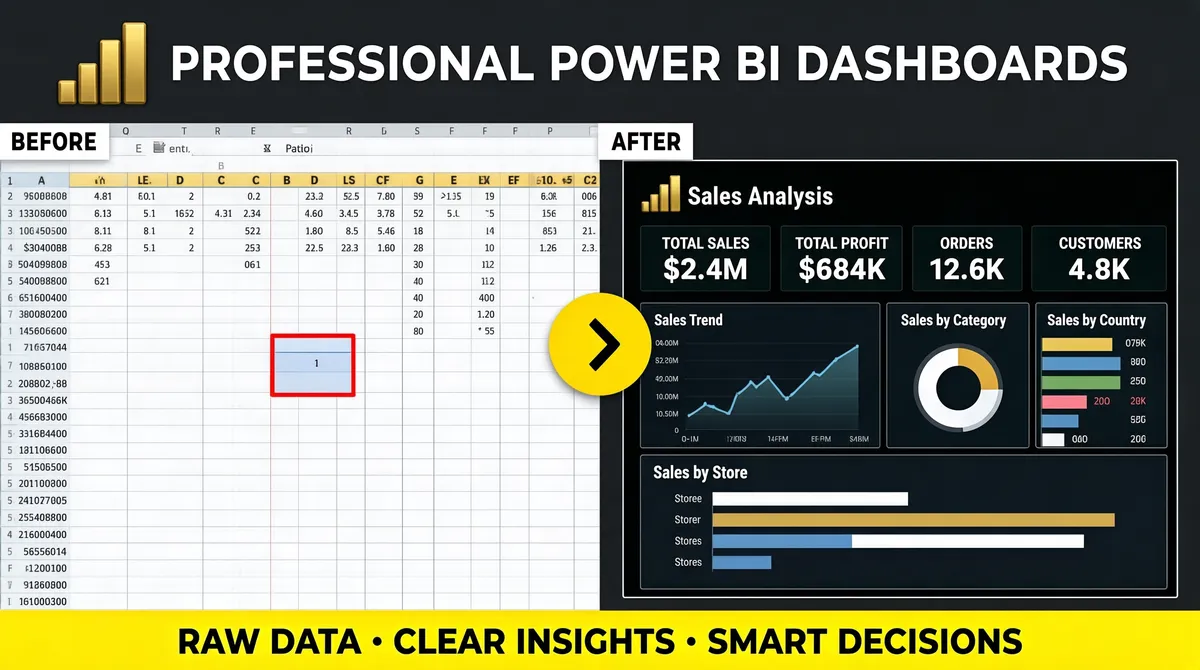
[Format] Landscape 16:9 gig cover, flat business banner with two contrasting panels. Clean, high-contrast, before-after framing. No watermark, no personal names. [Layout] Full-bleed dark charcoal ground. A single headline row runs across the top under the Power BI logo glyph. The body is a strict horizontal split down the middle: the left half is one large light Excel-style spreadsheet panel that bleeds off the left, top and bottom edges, filled with a pale grid of many tiny numeric cells, a coloured header row of column letters, and one cell outlined in red near its centre; the right half is one large dark Power BI dashboard panel, its header reading "Sales Analysis" beside the Power BI mark, with a bright hairline border, its interior tiled with four KPI mini-cards, a line chart, a ring chart, a small bar-by-month chart, a country bar list and a wide bar-by-store chart. Straddling the split point, a small bright-yellow circular arrow button with a black chevron sits over the seam, signalling the transition. A full-width accent bar runs along the bottom edge. [Subject] None — UI panels only. [Headline] Top row: the Power BI logo — a small gold 3D ascending-bar glyph — at the far left beside a heavy white uppercase headline reading "PROFESSIONAL POWER BI DASHBOARDS", left-aligned on one line. Two small corner labels sit at the top of each panel: a white tab reading "BEFORE" over the light grid and a matching tab reading "AFTER" over the dark dashboard. Inside the dark panel a small panel title with a tiny line-chart glyph sits above four KPI labels and bold figures, plus small tile captions for the ring chart, the bar list and the wide bar chart. The bottom accent bar carries three short bold phrases separated by centred dots. [Badges] The small gold ascending-bar glyph at the far left is the Power BI logo. The dark right-hand panel is a Power BI report — its header pairs the "Sales Analysis" title with the Power BI bars mark. The yellow circular button with a black chevron over the seam is a plain accent shape. [Mood] Dark charcoal with a bright yellow accent ring and a vivid bottom bar, against one pale spreadsheet panel. Crisp, split-screen, transformation story; the light-versus-dark halves read instantly at thumbnail scale.
Tags
More Images