Generate
Create images with AI
Mix and Mastering Gig Cover
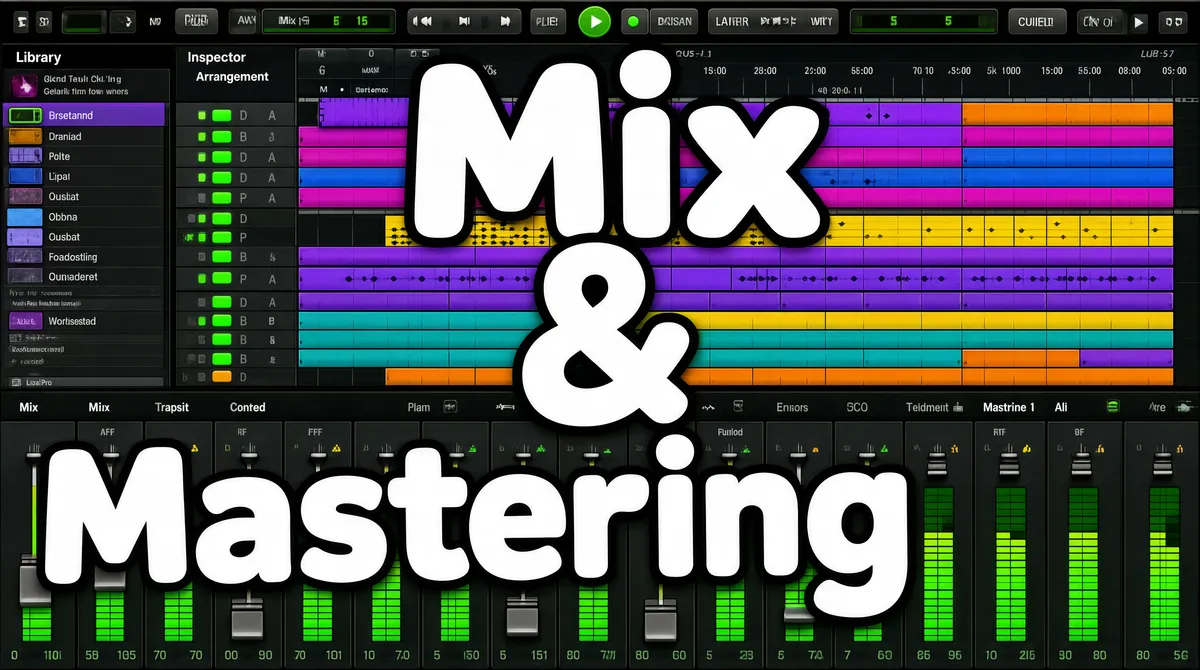
[Format] Landscape 16:9 gig cover, a full-bleed DAW screenshot with giant overlay typography. Screen-capture realism with crisp software UI, the screenshot very slightly softened. No watermark, no personal names. [Layout] The entire frame is one screenshot of Logic Pro's main window, edge to edge. The arrangement area fills the upper two-thirds: a dark track-list column on the left with grey channel strips and colour-coded track headers with green enable buttons running down the left edge, and the timeline at right full of coloured MIDI regions in purple, magenta, blue, yellow, teal and orange stacked on horizontal track lanes. A slim transport bar with a green play button and a dark LCD readout sits across the very top. The bottom third shows the mixer view: a row of vertical channel strips with faders and green level meters. Over all of it, three enormous white words with black outlines sit in a loose diagonal zig-zag: "Mix" upper-centre, "&" dead centre, "Mastering" lower-centre-left, each word roughly half the frame width. [Subject] none — typographic only. [Headline] Overlay type in reading order: "Mix" in huge white rounded sans-serif with a heavy black outline, top-centre; "&" in the same style, centred mid-frame; "Mastering" in the same style at the same huge scale, lower-left-centre, partially overlapping the mixer section. [Badges] The software chrome itself is the badge: Logic Pro's transport bar with its green play control and LCD readout at the top, the library/inspector column on the left, and the colour-coded region grid and mixer with green meters below. [Mood] Dark graphite UI punctuated by candy-coloured regions and green meters; the three giant white outlined words dominate instantly at thumbnail size.
More Images