Generate
Create images with AI
Learn Figma From Basic to Advanced Course Cover
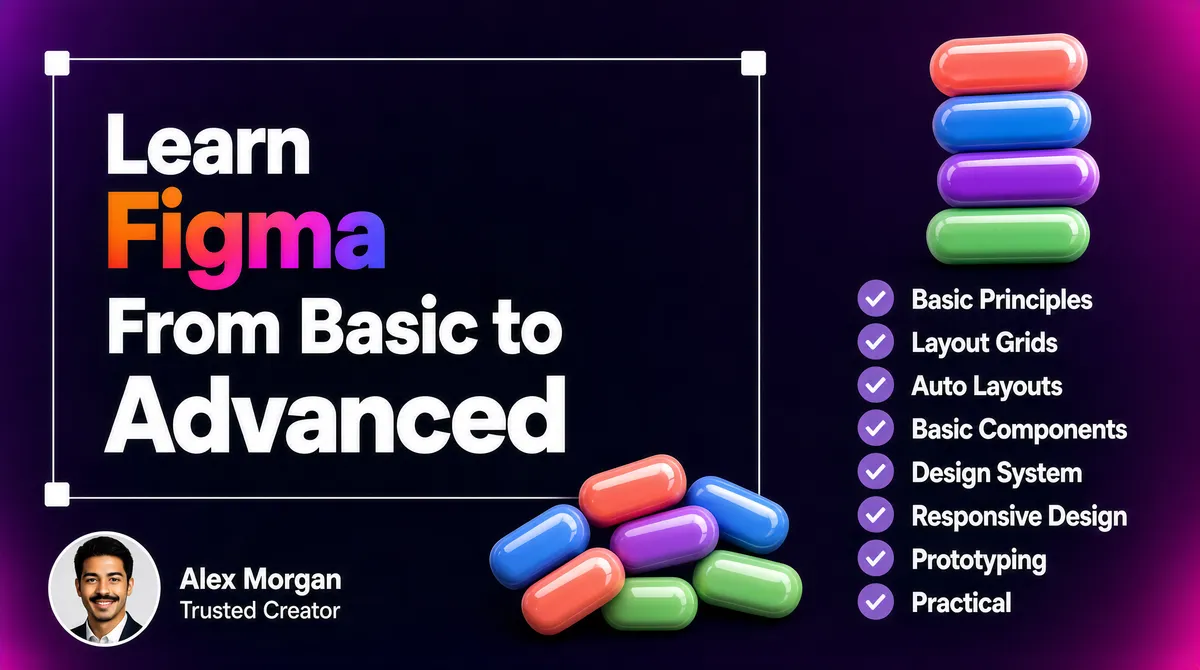
[Format] Landscape 16:9 gig cover, dark UI-design presentation with 3D-rendered props. Deep gradient background, soft studio vignette, glossy clay-rendered shapes. No watermark, no personal names. [Layout] A dark violet-to-magenta gradient fills the frame, blurred at the edges like a defocused mockup scene. A thin rectangular selection frame with four small white square corner handles is drawn around the headline block on the left two-thirds. A single column of eight checklist rows runs down the right third, each row a small circular check mark plus a label. A cluster of glossy 3D capsules is stacked in the upper right, above the checklist, and a smaller capsule cluster sits bottom-centre-left. An author chip with a circular avatar sits at the bottom-left corner. [Subject] One small inset only: a circular photographic avatar about a tenth of the frame wide showing a young man in a dark suit and light shirt, short dark hair and a neat moustache, smiling at camera in even light. Beside the avatar sit two short lines of white text, a placeholder display name and, below it in small grey, a two-word trust phrase. There is no large human cut-out on this cover. [Headline] Inside the selection frame, four stacked left-aligned lines in a clean geometric sans. Line one, Learn, in white. Line two begins with Figma rendered in a saturated orange-to-magenta-to-violet-to-blue gradient and continues in white. Line three, From Basic to, in white. Line four, Advanced, in white extra-bold and the largest word of the block. The block occupies roughly half the frame width and sits vertically centred on the left. [Badges] Upper-right: a tall stack of five rounded 3D capsules in coral, blue, purple and green, glossy and softly lit, and a second smaller cluster of the same capsules tumbling at the bottom-centre-left. Right column: eight identical small circular check badges in muted violet, each followed by a white label reading Basic Principles, Layout Grids, Auto Layouts, Basic Components, Design System, Responsive Design, Prototyping, Practical. [Mood] Deep violet and wine-purple with a hot multicolour gradient and pastel 3D props. Sleek and design-tool-like, with the glowing gradient word and the neat checklist column surviving best at thumbnail size.
Tags
More Images