Generate
Create images with AI
Hanfu Scene-Building Engine Infographic
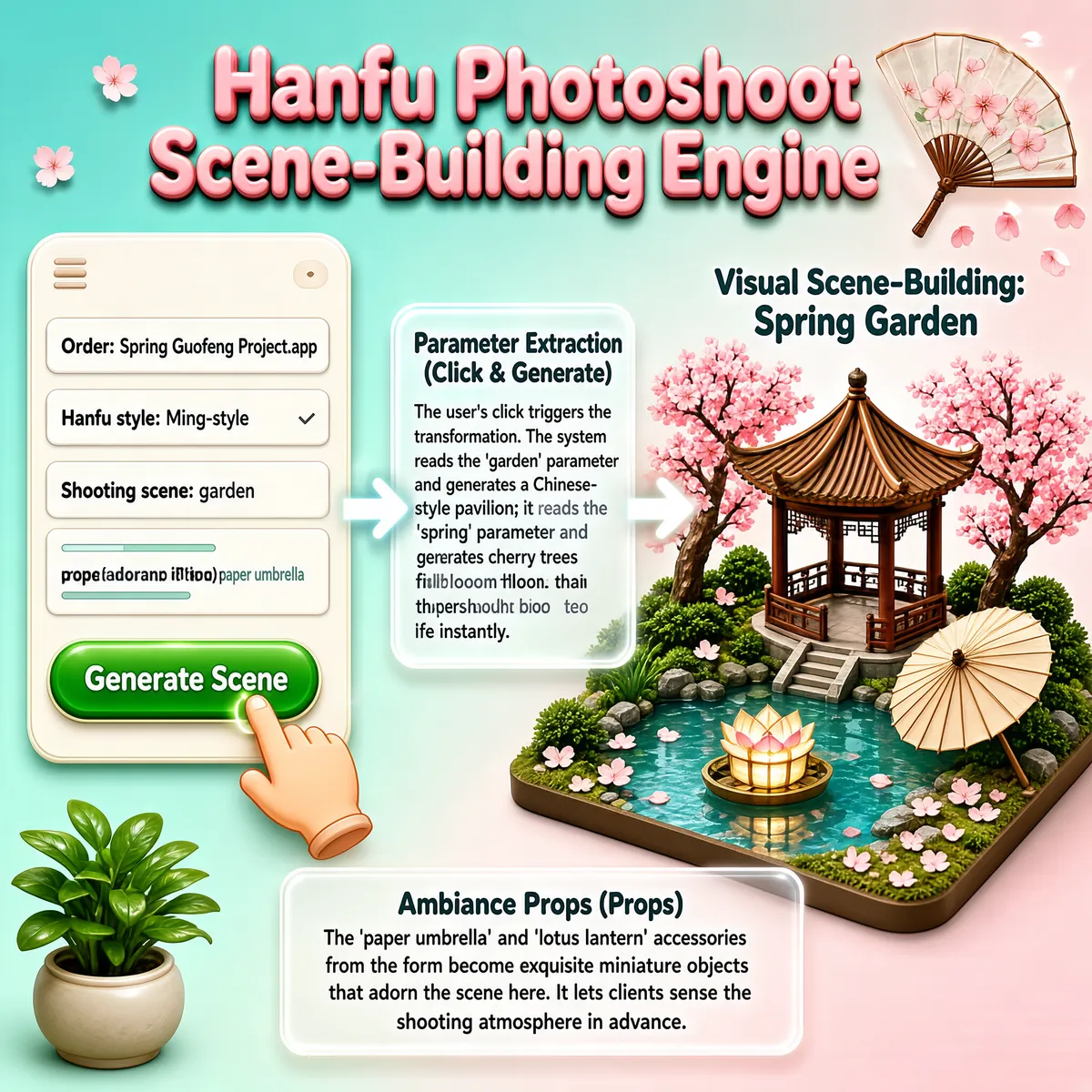
This infographic is themed "Hanfu Photoshoot Scene-Building Engine," set against a soft teal-to-pink gradient background that creates a fresh, elegant Chinese-style atmosphere. The composition is clearly laid out in three main regions — left, center, and right — with dynamic arrows and floating petals conveying the flow from user input to visual generation. The title "Hanfu Photoshoot Scene-Building Engine" sits at the top center in dimensional, rounded pink lettering, accompanied on the right by a translucent folding-fan ornament with cherry-blossom petals drifting off its surface, enhancing the visual appeal. The left region shows a "structured requirements form," containing a mock APP interface (Order: Spring Guofeng Project.app) with four parameter options: - Hanfu style: Ming-style - Shooting scene: garden - Prop (paper umbrella): paper umbrella Below is a green "Generate Scene" button, with a cartoon hand clicking it to represent user interaction. The center region is the "Parameter Extraction (Click & Generate)" explainer box, whose text reads: "The user's click triggers the transformation. The system reads the 'garden' parameter and generates a Chinese-style pavilion; it reads the 'spring' parameter and generates cherry trees in full bloom. The photoshoot brief comes to life instantly." This section connects the left form to the right scene model via white glowing arrows, visualizing the data flow and conversion process. The right region, "Visual Scene-Building: Spring Garden," displays a 3D miniature landscape model including: - A brown Chinese-style hexagonal pavilion - Two blooming pink cherry trees - A pool of clear water with a lotus lantern floating on it - A beige paper umbrella placed at the water's edge - Green shrubs and scattered cherry-blossom petals all around The bottom region is the "Ambiance Props (Props)" explainer box, whose text reads: "The 'paper umbrella' and 'lotus lantern' accessories from the form become exquisite miniature objects that adorn the scene here. It lets clients sense the shooting atmosphere in advance." In addition, a potted green plant sits in the lower-left corner as a decorative element, adding realism to the scene. Combining skeuomorphic UI design, a 3D-modeled scene, and text annotations, the whole infographic intuitively demonstrates the generation process from abstract parameters to a concrete visual scene, underscoring the system's value in improving client experience and communication efficiency. All text is in English, with no other-language or numeric data.
Tags
More Images