Generate
Create images with AI
Google Ads Campaign Report Table
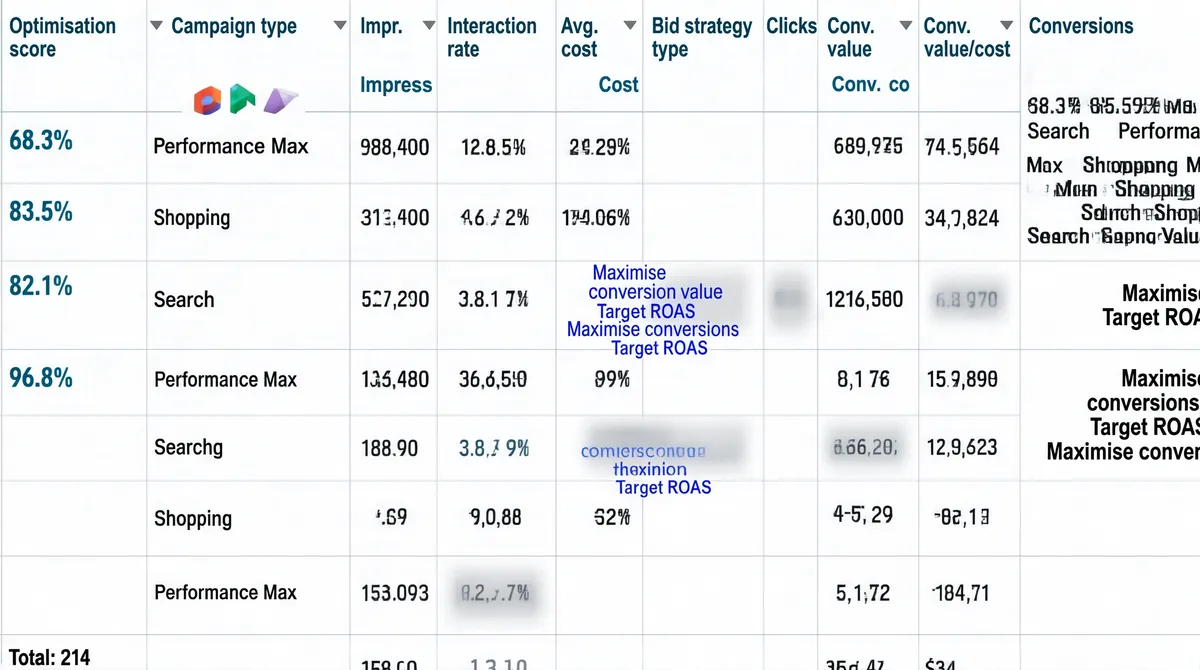
[Format] Landscape 16:9 gig cover that is a full-bleed screenshot of a Google Ads campaign performance report table. Flat digital screenshot finish, no art direction and no photography. No watermark, no personal names. [Layout] The entire frame is one wide table viewed straight on, with no background, border, drop shadow or surrounding design of any kind. A single header row runs across the top, below which nine body rows of equal height are separated by thin light-grey horizontal rules. Thirteen columns are divided by faint vertical rules, most of them narrow, with the widest column sitting in the middle and the widest text column at the far right. A total row is clipped by the bottom edge so only a stub of a label and a number remain visible. Several individual cells are covered by soft grey blur patches, and tiny coloured glyphs appear in the leftmost column on a few rows. [Subject] None — a data-table screenshot only, with no people in the frame. [Headline] Header row, left to right, in small teal-blue medium weight with a tiny sort triangle beside a few of them: "Optimisation score", "Campaign type", "Impr.", "Interact.", "Interaction rate", "Avg. cost", "Cost", "Bid strategy type", "Clicks", "Conv. rate", "Conv. value", "Conv. value/cost", "Conversions". In the body rows: the leftmost column holds small teal percentage scores (approximately 68.3%, 83.5%, 82.1%, an empty cell, then 96.8%, followed by several blanks), with a tiny coloured icon beside the first three; the second column holds short campaign names such as "Performance Max", "Shopping" and "Search" stacked one per row; the numeric columns hold thousands-separated impression counts, two-decimal interaction percentages, costs prefixed by a short currency code, small click counts and conversion percentages, all right-aligned into a jagged column grid. The bid-strategy column holds short multi-line phrases in blue-violet text such as "Maximise conversion value" and "Target ROAS". [Badges] The only marks are three tiny Google Ads campaign-type icons in the leftmost body column (Performance Max, Shopping and Search badges) plus a few small grey sort triangles in the header row. [Mood] Utilitarian, dry and evidence-first. Palette: white, light grey rules, small teal-blue header text, blue-violet bid-strategy text and the soft grey blur patches. At thumbnail size it reads as a dense spreadsheet rather than a designed cover, so the numbers themselves are the whole message.
Tags
More Images