Generate
Create images with AI
Clean Finance Dashboard UI Cover
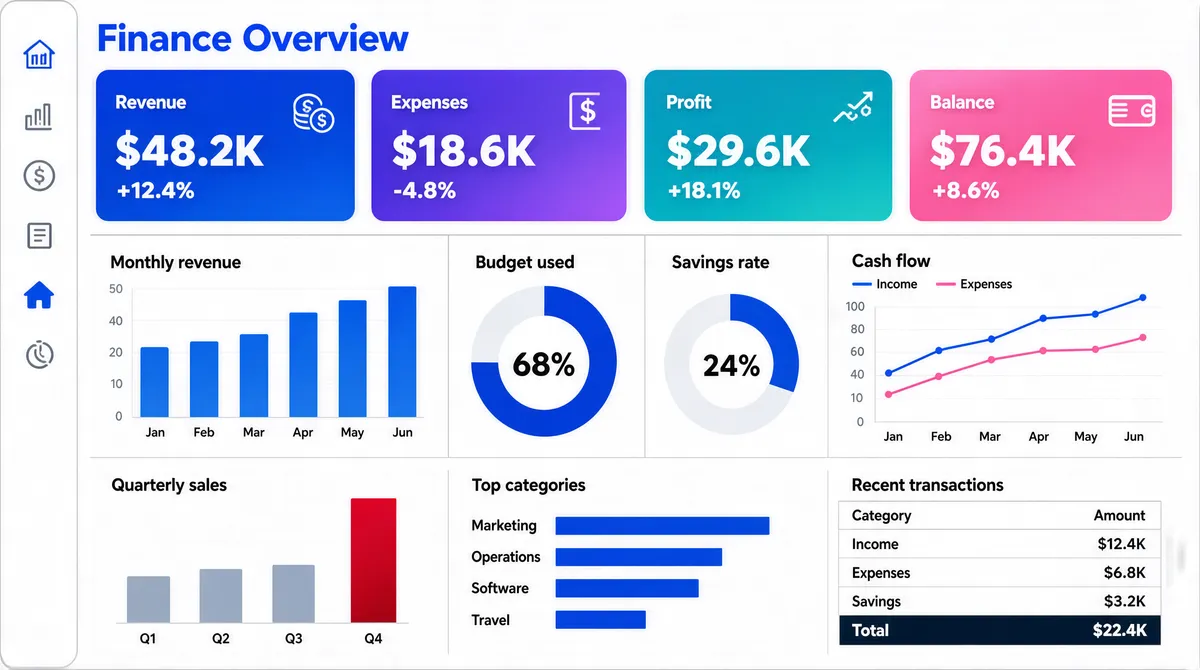
[Format] Landscape 16:9 gig cover, flat dashboard-UI screenshot. Light theme, thin grey rules, pastel gradients. No watermark, no personal names. [Layout] Edge-to-edge light-grey application canvas with no device frame. A slim white vertical rail runs the full height at the far left with a small stack of line icons, one of them highlighted in solid blue. The canvas is then a three-tier grid with even gutters. Top tier: a section title at the top-left, then a single row of four equal-width KPI cards, each filled with a soft two-colour gradient and carrying a small label and a large white figure. Middle tier: four equal panels across — a small column chart with labelled bars, a large donut with a bold centre percentage, a second smaller donut, and a wide dual-line chart with a legend. Bottom tier: three panels — a sparse column chart with a tall crimson final bar, a horizontal bar chart with a category list, and a compact data table with a total row. [Subject] None — UI only. [Headline] The page title at the top-left reads a two-word finance-dashboard heading in bold blue. The four KPI cards carry short labels with large currency-style figures and small percentage deltas beneath. Panel titles are small grey sentence-case strings. The donut centres show large percentages. Render all wording as generic placeholder copy in the same positions and weights. [Badges] None. [Mood] Off-white canvas, a blue rail, and four candy-gradient KPI cards in cobalt, violet, teal and pink. Bright, clean, finance-dashboard polish; the four gradient cards are the thumbnail's colour anchor.
More Images